Sell feet pics anonymously and keep your name out of it
The short answer
Selling here works without your face and without your legal name. Fans know you by a nickname and the feet pics you share. Creators are rarely recognised by their feet. They are found through what sits around them, like a tattoo, a mirror, a reused email or the name on a payment account. Each gap has a fix below.
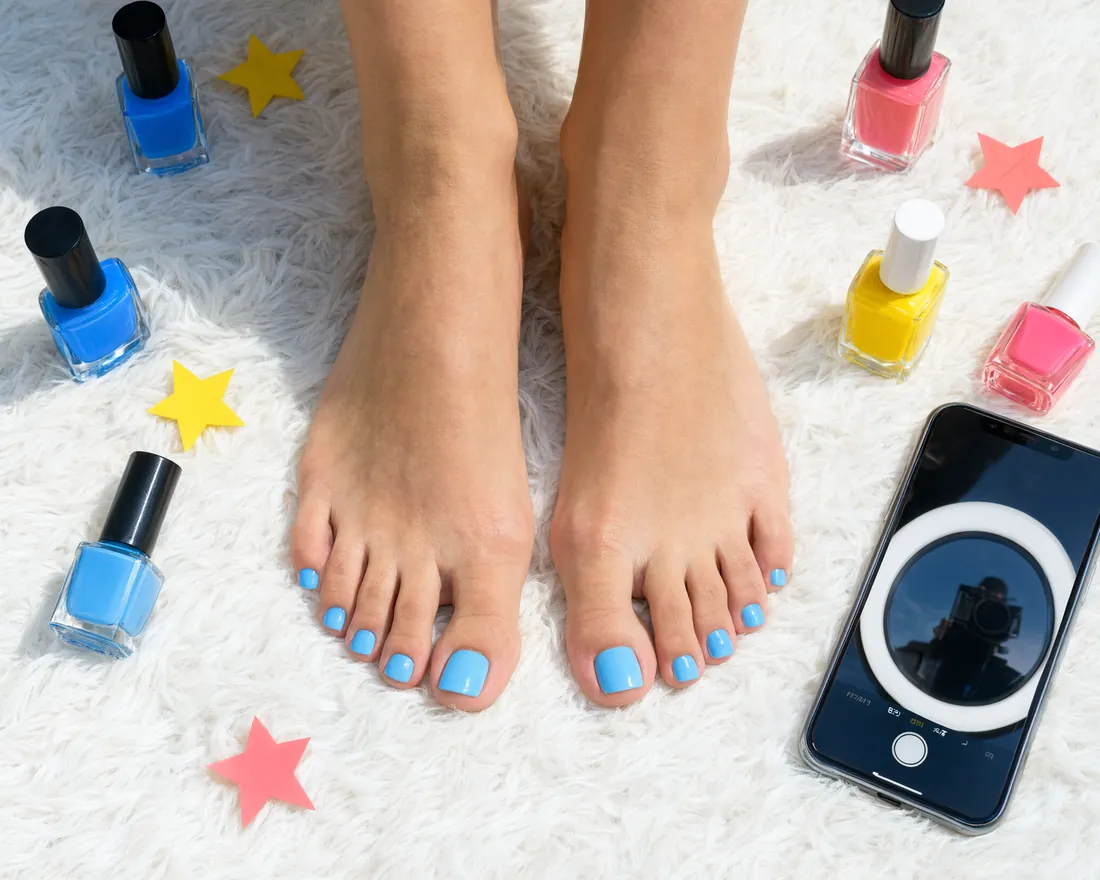
Four ways a set can point back to you
Check four things before anything goes online. Your body, meaning a face at the edge of a shot, a tattoo, a toe ring or a pedicure people know you for. Your room, such as a rug someone would recognise, the view out of a window or mail with your name on it. Your accounts, if your nickname or email also lives on other sites. Your payment method, because some show the fan your real name.
Build the shot so only your feet show
A plain set beats a busy room
Rest your feet on something bare, like a towel, a blank wall or a sheet of card. Soles, arches and nail polish read better against it, so the private shot also turns out to be the better feet pic.
Check the edges, not the centre
Most giveaways hide at the border of the frame, so zoom into the corners before you upload. Look for anything that reflects, such as a mirror, a glossy tile or a dark screen. Check for a window someone could match to a street or an envelope with your name, and for things that turn up in your other photos too, like a signature polish, a toe ring or a bracelet.
No face needed
A face never has to appear, not in clips and not for the verified badge, which takes one photo of your feet. Your nickname is the public part of you. For a profile picture without a face, see our guide to photos and your profile.
Shoot fresh for this site
An old picture is found in seconds with a reverse image search. Keep photos from your social accounts off feetpics.com, and keep the sets you make here off your personal accounts.
Location data in your files
A phone camera can tag every photo and video with where and when it was taken and which device took it. feetpics.com removes that data from every file you upload, photos and clips alike, at Broadcast, in Edit profile and in an offer teaser. Switch it off on your phone too, so the originals you keep and anything you send elsewhere carry none.
iPhone, following Apple's instructions
- Stop tagging new photos. Open Settings, go to Privacy & Security, then Location Services, pick Camera and set it to Never.
- Share a single photo without its place. In the share sheet, tap Options and switch Location off.
- Clean a photo already in your library. Open it in Photos, tap More, choose Adjust Info, then Adjust Location, then No Location.
Android
Turn location off in your camera app's settings before shooting. Every maker puts that switch somewhere else. According to Google, Photos only clears a location that was estimated or typed in by hand, never one the camera recorded, so the switch in the camera is the step that counts.
When the set is clean, the guide to delivering sets safely explains how to hand it over.
Nickname, inbox, payments and your page
- A fresh nickname. Leave out your real name, any handle from another platform, and combinations like your town plus the year you were born. Your username is public and cannot be changed later.
- A separate inbox. Create an email address just for feetpics.com, with a password you use nowhere else. The FBI's IC3 has warned about hijacked accounts and leaked private content. Its advice is a unique passphrase, multi-factor authentication and keeping your log-in to yourself.
- Blocking. Once you block a member, they can't write to you or send you anything else, and neither of you appears in the other's lists any more.
- Numbers and emails in texts. Phone numbers, emails and usernames of other apps are hidden in public texts, offers and the inbox. Leave them out anyway.
- Your payment method. PayPal, Cash App, Venmo and a bank transfer show the fan the name on your account when they pay. A PayPal business name, a nickname cashtag or crypto keeps your own name private.
- What buyers can see. In Edit profile you switch off what you do not want to show: your country, your age, Active today, your languages, the year you joined. The preview on My page shows your page exactly as a guest sees it.
Pausing or leaving
Delete a clip or a photo in My page to take it off your page; the file is erased from our servers. Pause your page under My page if you need a break. Before a longer pause, clear old copies of sets you delivered from your camera roll and your cloud backup.
Ready to set up your page?
The guide for creators covers your profile, your clips, privacy and delivering your sets safely on one page.
Read the guide for creatorsQuestions
Is my face required?
No. The public part of you is your nickname, and your page works with feet alone. For a profile picture, try your feet on a nice surface or a close-up of your nail polish.
Will a fan learn my real name?
Not through your page, which shows your nickname and nothing more. Names leak through things you reuse, such as an email address or a photo from another account, and through a payment method that shows your name. Keep those apart.
How do I take the location out of a photo?
feetpics.com does it for every upload. For the originals on your phone, set Camera to Never in Location Services on an iPhone, or switch Location off under Options while sharing. On Android, turn location off in the camera app.
Can I make my page private?
Partly. Guests already see a shorter page without your one-line intro and specialties, and you can switch off your country, age and other facts under What buyers can see. Pausing your page under My page hides it from guests and from Creators and Clips; members who have your link can still open it.
Will feetpics.com strip location data for me?
Yes. Location and camera data are removed from every photo and clip you upload. What stays is what is in the picture itself, so check it for letters, tattoos or a window view.
Ready to set up your page?
Joining and posting cost nothing. You decide what you share and what you charge.